Projects
A Project is a workspace that bundles instructions, prompts, tasks, connectors, and memory folders together with a default model. When you start a chat inside a Project, everything assigned to it is already active — you don't re-establish the context each time.
Use a Project when you want an ongoing workspace for a team, client, product, function, or process. Use a Task when the work should run repeatably with deterministic Python control flow. The two compose: build Tasks for the deterministic parts, assign them to a Project, and let the project chat decide when to run them.
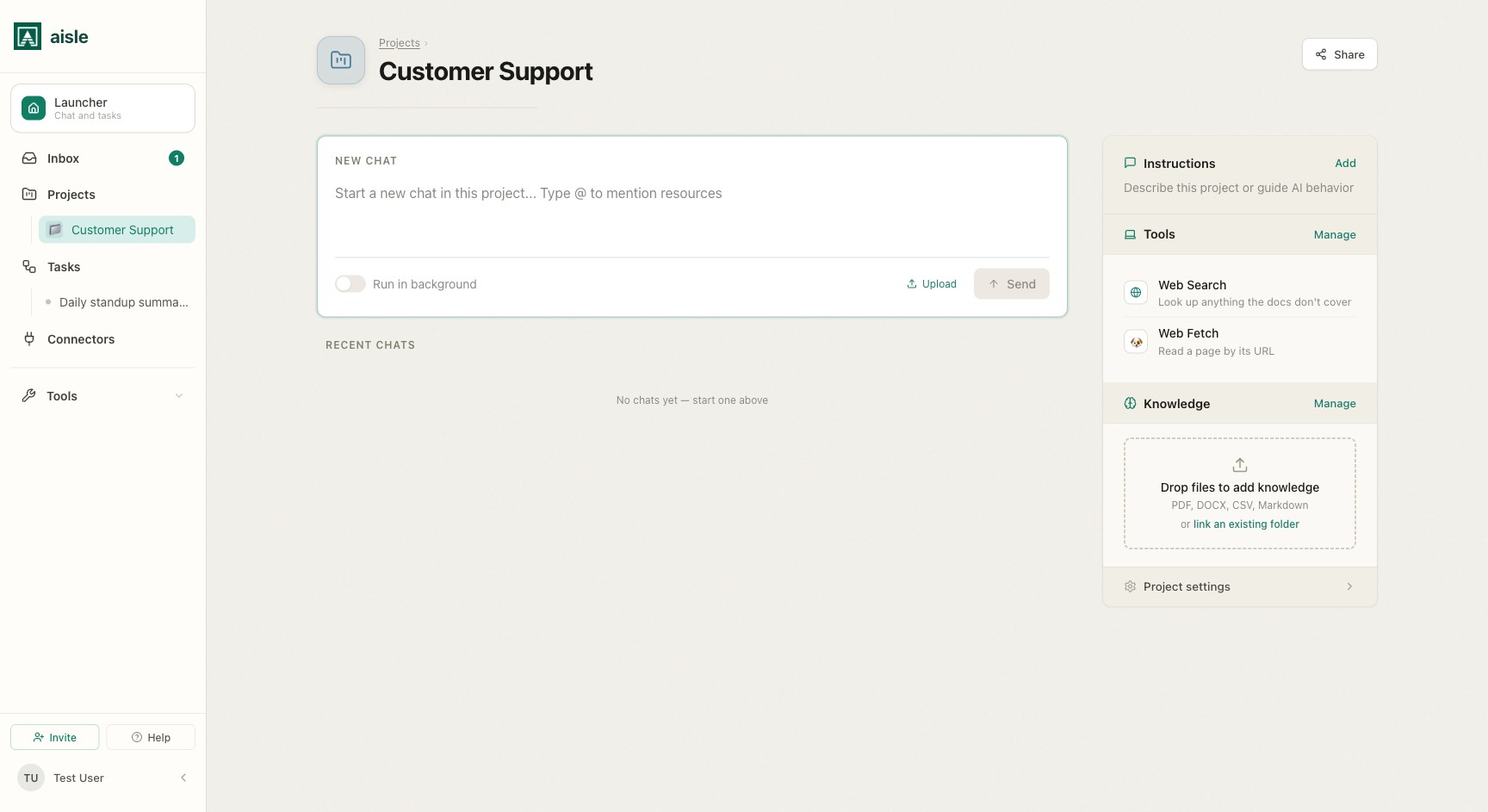
What a project contains
| Part | What it is |
|---|---|
| Instructions | A system message applied to every conversation in the project. |
| Default model | The model and settings used for project chats. |
| Tools | Prompts, tasks, connectors, and built-in abilities the project chat can call. See Tools and Memory. |
| Memory | The project's own memory folder, plus any folders you attach as reference or output. See Tools and Memory. |
The side rail labels the memory section Knowledge on the project home and Memories in the configuration panel — both names refer to the same memory folders described in Tools and Memory.
Starting a project chat
Type in the chat input on the project home and send. The message goes to the model along with the project's instructions, its default model and settings, the list of assigned tools, and any memory folders configured as reference.
- The model can use any assigned tool on its own, based on the tool's name and description — see Tools and Memory.
- Type @ to pick a specific prompt, task, connector, or folder and direct the model to use it.
- Toggle Run in background before sending to queue the message as an asynchronous run — the result appears as a conversation thread when it completes.
See Using Projects for @ mentions, chaining, background runs, and what the model sees.
Access
A project is either Private (only you) or Shared (all members of the organization). A shared project gives everyone the same instructions, tools, and memory. Individual conversations stay private unless shared explicitly.
When to use a Project vs a Task
- Project — open-ended work where the shape varies and you want the model to apply judgment about which tools to use and in what order.
- Task — a fixed automation with Python logic, defined inputs, and predictable output, run on a schedule or trigger.
Where to go next
- Using Projects — starting conversations, @ mentions, chaining, and background runs.
- Tools and Memory — assigning prompts, tasks, connectors, and memory folders.