Reviewing PRs
Memory folders and documents can optionally require acceptance before changes are published, using pull requests (PRs). This is useful for shared runbooks, policies, or any material where you want to review updates from other users or agents.
When this setting is enabled, changes open a pull request. Readers and agents continue to receive the last approved version until the request is accepted. A proposed new document stays unpublished until then. The policy applies to manual edits, Tasks, and MCP tools.
Changing the review policy
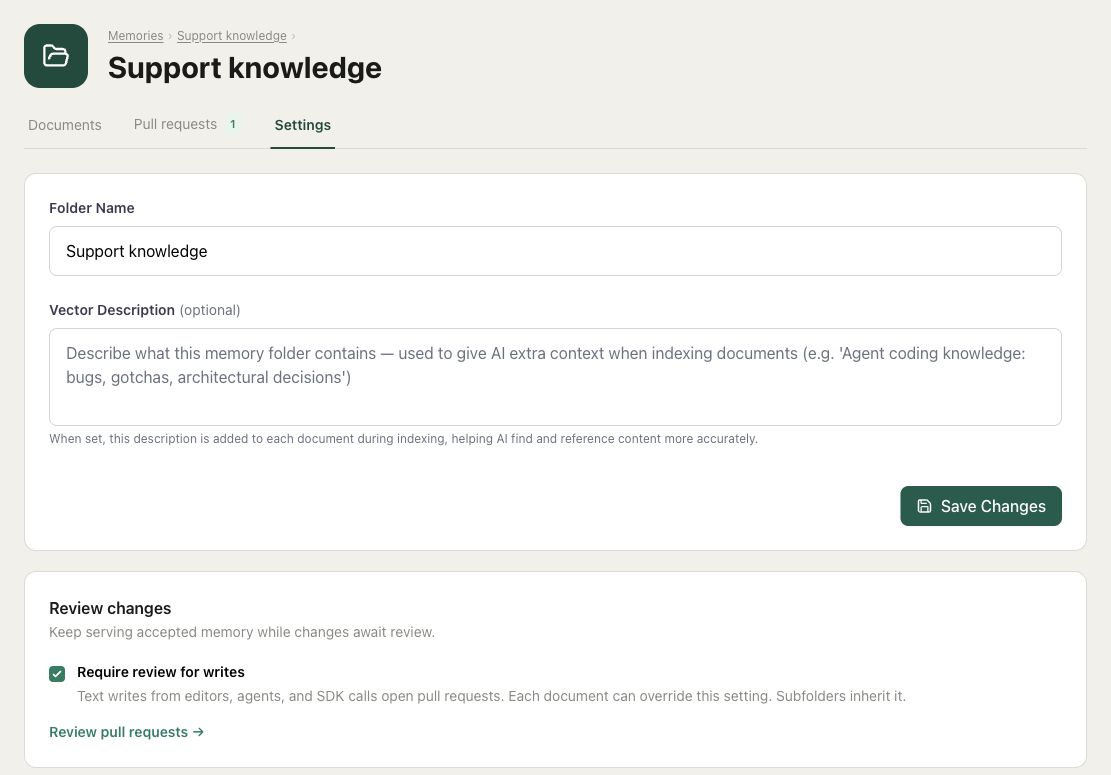
Open the folder's Settings, enable Require review for writes, and save. The setting is off by default. All subfolders and their documents inherit the root folder's policy unless a document has its own override.
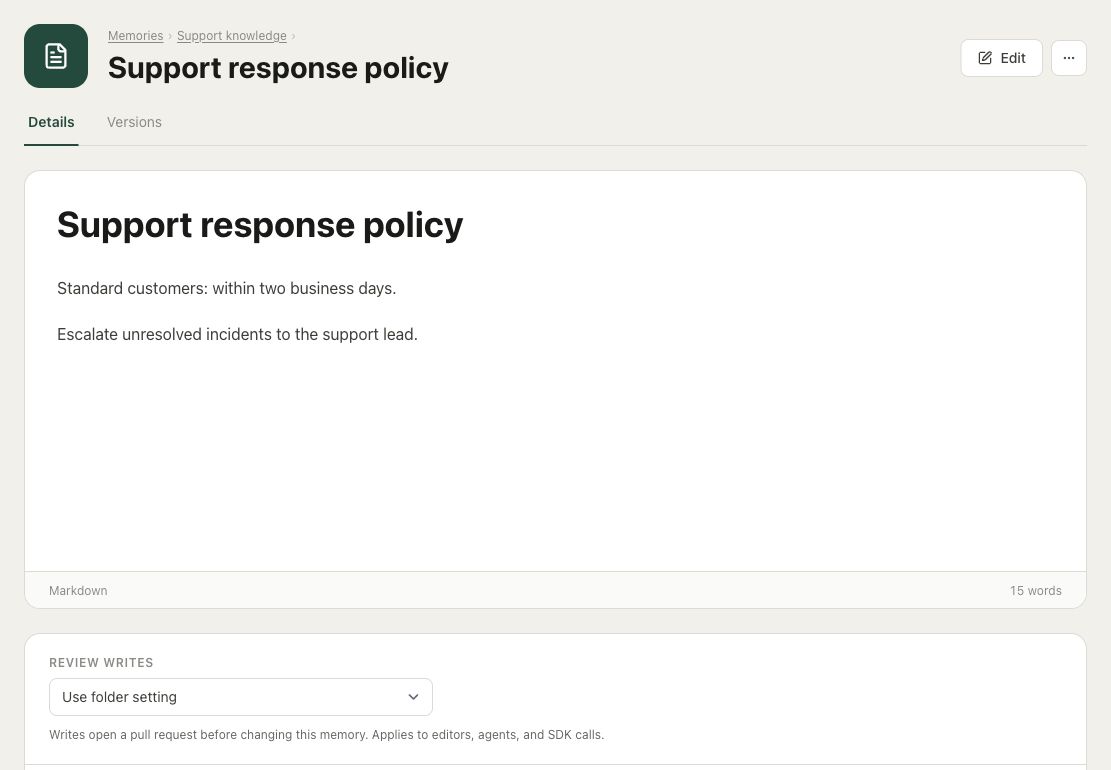
You can set a different policy for an individual document. Open the document and use Review writes on its Details page:
| Setting | Behavior |
|---|---|
| Use folder setting | Inherit the root folder's review requirement. |
| Always require review | Stage changes even when the folder allows direct writes. |
| Allow direct writes | Publish changes immediately even when the folder requires review. |
Turning review off leaves existing proposals open; it does not accept them.
Review covers text changes and archive or unarchive operations. Attachment uploads and file replacements cannot be submitted for review. Protected document deletion and moves are blocked. Use a folder that allows direct writes when uploading files.
Pull requests
The Pull requests tab inside a folder shows its proposed changes. The Pull requests button on the Memories page opens the organization-wide list, grouped by folder. Open contains pending changes; Closed contains accepted and rejected changes. These controls are available to people with edit access.
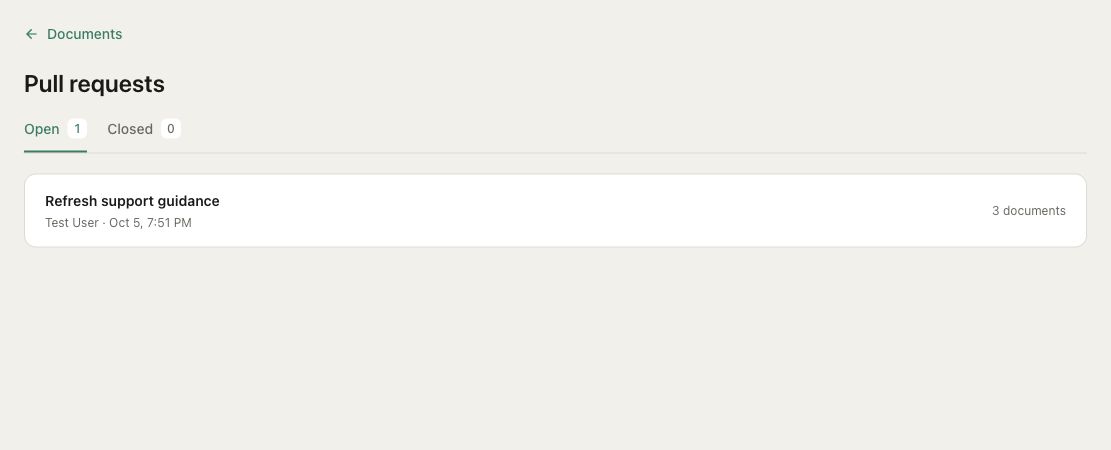
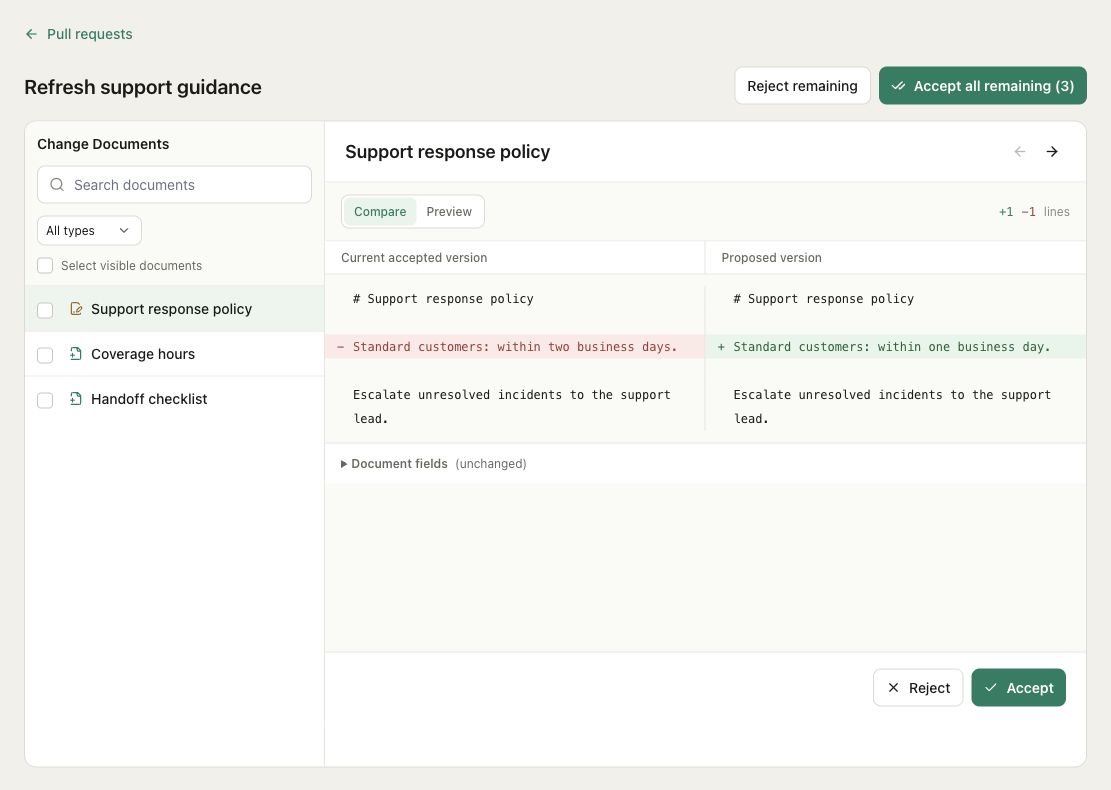
Choose a folder to review its documents. The document list shows proposals newest first, with their authors and submission dates. Search by name or filter for new and updated documents. Each file is reviewed independently.
Show diff highlights added and removed text. Turn it off to read the resulting document. Expand Document fields to inspect proposed changes to the name, metadata, search summary, or agent access.
Accept publishes the file and Reject discards its proposal. The decision is saved immediately and the next pending file opens. Other proposals remain pending. Closed requests retain the decision and accepted before-and-after content for later inspection.
Version history
qbash keeps a version history for memory documents, whether review is enabled or not. Each published update creates a version, including changes accepted through a pull request.
Open a document and choose Versions to see its saved versions, who made each change, and when. View Details opens a version. Use Content to read it as it was saved, or Changes to compare it with the previous version, including changes to the document's name, content, and metadata.
Changes to a document's review policy are recorded here too, with the previous and new settings. For the original proposal and review decision, use Pull requests → Closed.
Task and agent writes
Existing write calls follow the policy automatically. The Task SDK's store, update, archive, and unarchive methods return status: "pending_review" and pull_request_id when the change is staged:
result = qbash.memories.store(
    name="Coverage hours",
    content="# Coverage hours\nMonday–Friday, 09:00–17:00 Eastern.",
    folder="Support knowledge",
)

if result.get("status") == "pending_review":
    print("Submitted for review:", result["pull_request_id"])
else:
    print("Published:", result["id"])
A pending creation returns id: None, because there is no published document yet. For a pending update, the existing ID still reads the accepted version. store(await_embedding=True) returns immediately for a pending proposal; it cannot wait for that unpublished document to be indexed.
MCP tools also report when they open a pull request. An agent should describe the change as submitted for review and continue using accepted content. Repeating a pending write can create another proposal, so a pending result is not a reason to retry.
After acceptance, ordinary reads return the published content immediately. Semantic search catches up through background indexing and can temporarily return an older accepted passage. Pending proposals are never indexed.
Review settings and decisions are managed in qbash; the Python SDK does not provide methods to change policy, list pull requests, or accept them. Full write signatures are in the SDK reference.