Connect Shopify
Tasks read a Shopify store through qbash.integrations.shopify, which calls the Admin GraphQL API. You create an app for the store in the Shopify Dev Dashboard, install it, and give qbash the app's client ID and secret. qbash exchanges them for an access token and gets a new one when Shopify reports the old one expired.
After you connect Shopify, you can add its tools to a qbash MCP server for ChatGPT, Claude and other MCP clients, or call it from a Python task. The Shopify MCP server page lists what the connector can do.
The app and the store must belong to the same Shopify organization. To connect a store that belongs to someone else, its owner creates the app in their own Dev Dashboard and shares the client ID and secret.
Create the app
-
Open the Shopify Dev Dashboard and choose the organization that owns the store.
-
Open Apps and click Create app. Give it a name.
-
In Scopes, paste the scopes your task needs:
read_orders,read_customers,read_products,read_inventory,read_locationsAdd
write_orders,write_customersorwrite_productsonly if a task callsadd_tagsorremove_tagson that kind of record. Leave outread_all_orders. The Dev Dashboard rejects it with "Contains invalid scopes". Without it, Shopify returns only the last 60 days of orders. -
qbash does not use the app URL or redirect URLs, so their values do not matter here.
-
Create the app, then release its version.
-
On the app's Overview page, click Install app and choose your store.
-
Copy the Client ID and Client secret from the same page.
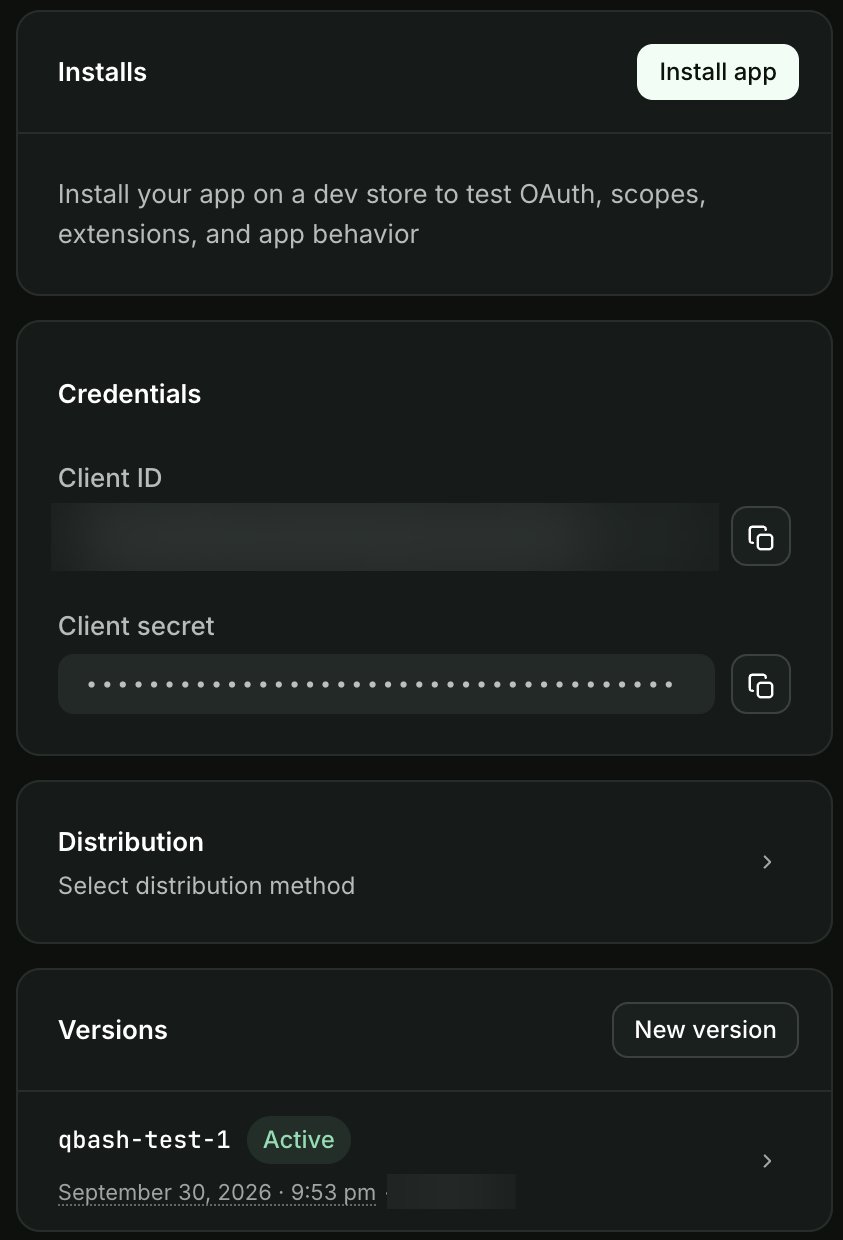
If you change scopes later, release a new version and approve it on the store.
Add the app in qbash
- Open Connectors, then Shopify, and click Connect.
- Enter the store's
.myshopify.comdomain. A custom storefront domain does not work here. - Keep Dev Dashboard app selected and paste the client ID and secret.
- In the task editor, open Resources → Integrations, and select the credential. See Connect resources.
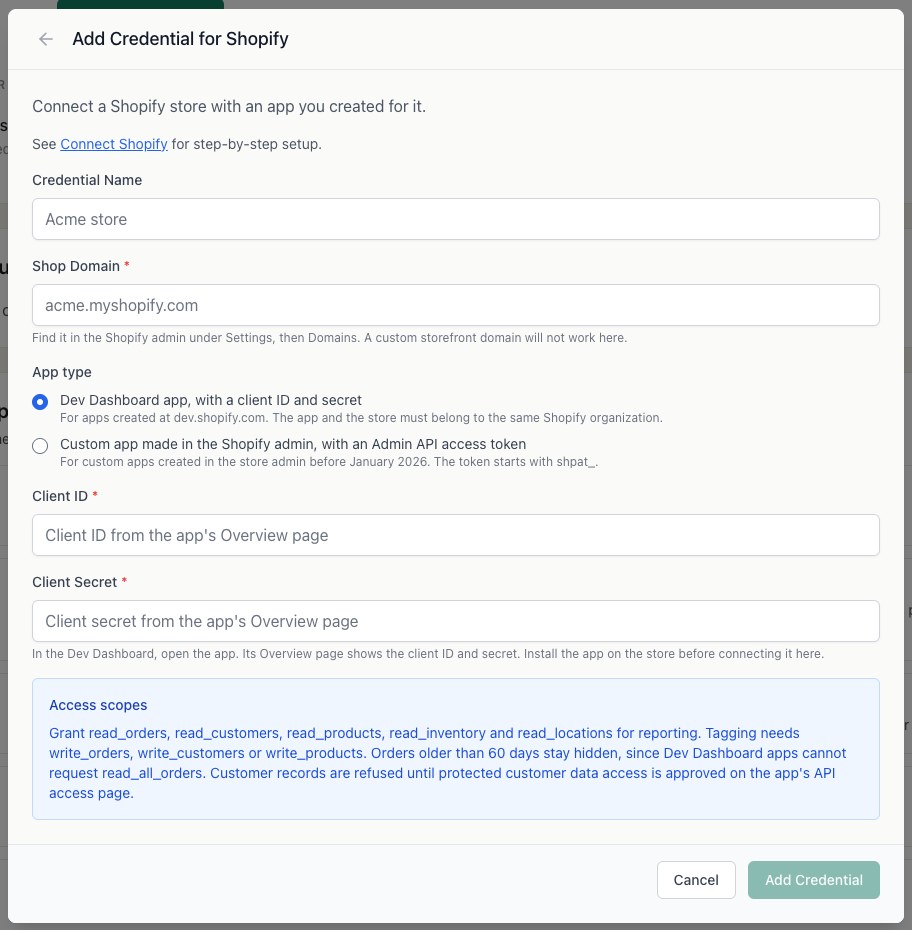
A store with a custom app made in the Shopify admin before January 2026 can use that app's Admin API access token instead. Choose the custom app option and paste the token, which starts with shpat_.
Allow customer data
Shopify treats customer records as protected customer data. Until the app has that access, list_customers and get_customer fail with "This app is not approved to access the Customer object". Request protected customer data access from the app's API access settings in the Dev Dashboard and fill in the form Shopify shows. The other methods work without it.
Call Shopify from a task
orders = qbash.integrations.shopify.list_orders(created_since="2026-09-01", limit=25)

for order in orders["orders"]:
    print(order["name"], order["total_price"], order["financial_status"])
List methods take cursor and return next_cursor. Money comes back as a decimal string in the shop's currency. graphql_query runs any read query against the Admin API and refuses mutations. The SDK Reference lists every method.
Add test data
A development store is free and has no time limit. Create one from Stores in the Dev Dashboard and add products, a customer and a few orders. In the store admin, open Orders, click Create order, and mark it as paid to get an order without a checkout.